Hardened WordPress Redis Zero Touch setup on Windows Server/IIS with phpredis, narrow ACLs, enrollment checks, and validation scripts.
The response is not a valid JSON response – Windows IIS
If you’re I presume you’ve already tried some other techniques to fix the “The response is not a valid JSON response” issue with WordPress running on Windows Server and IIS. In my case, I am running PHP 8.1.8 and the issue was easy to fix. For me, the error happened while trying to save content to a Widget.…
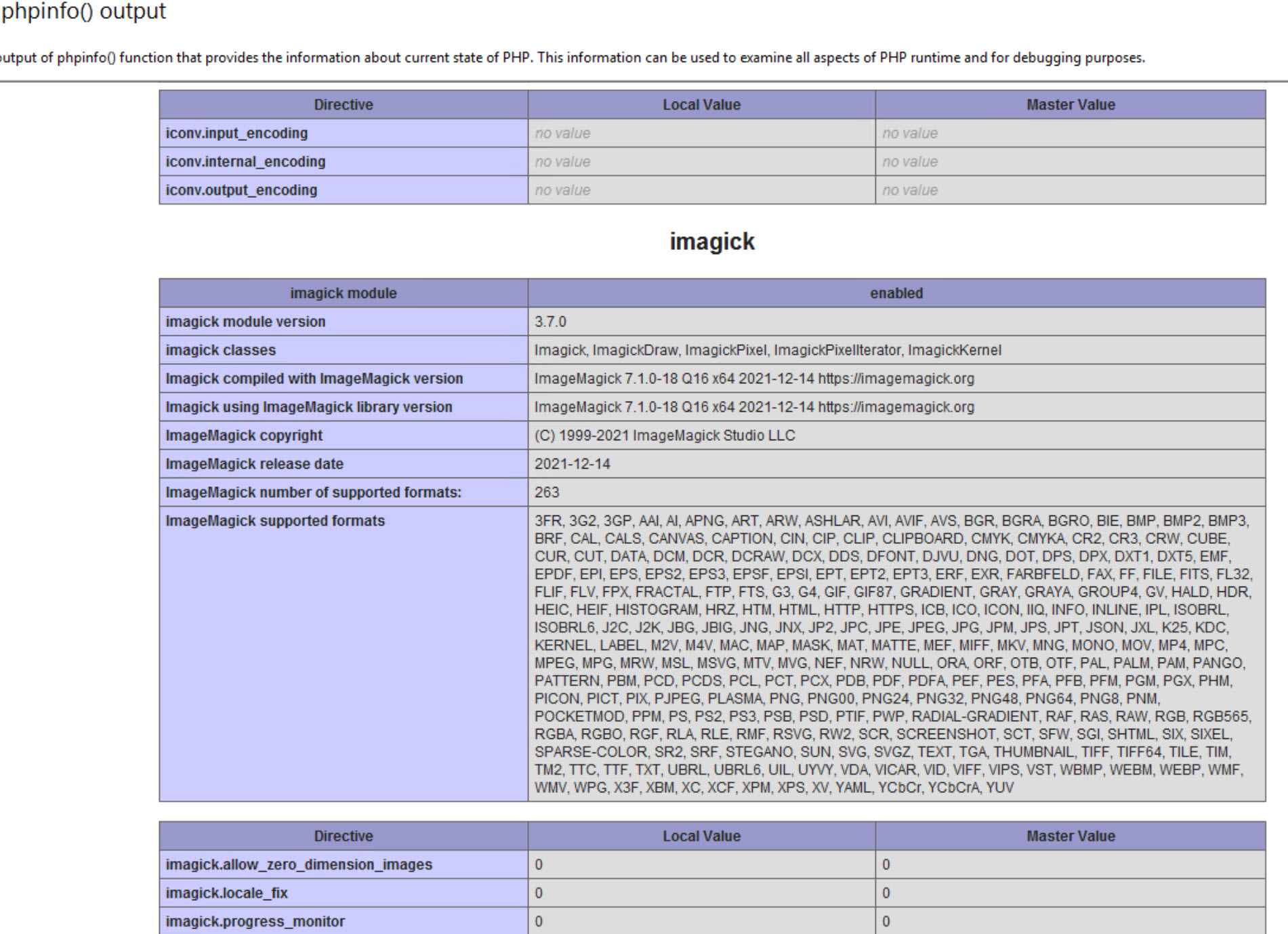
How to get IMAGICK working under Windows Server IIS
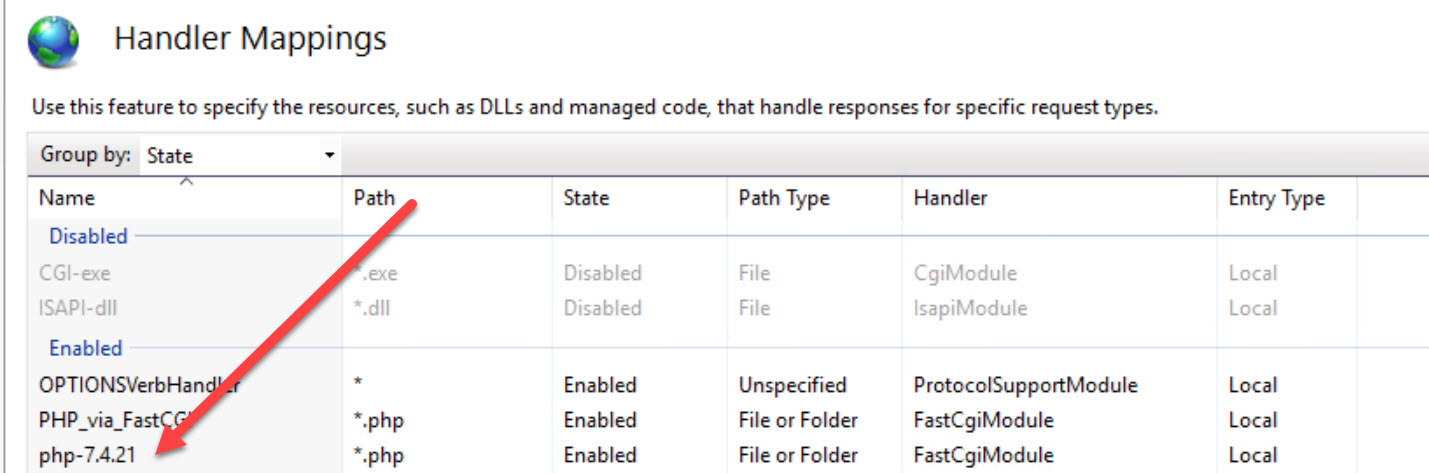
Here is the simple method to get IMAGICK working under Windows Server 2019/2022 and IIS 10.0 and later. Presuming using PHP 7.4.X (current version is 7.4.27 as of 2/14/22). NOTE: This is not working properly under PHP 8.x Make sure you’ve downloaded the most current 7.4.X version and installed it on your IIS/PHP Manager,…
WordPress There was an error. The response is not a valid JSON response.
If you are running WordPress on IIS and experiencing this issue, another thing you can check is the FastCGI settings to make sure the OPTIONS verb is allowed. In my case, I am using a brand new setup of WordPress on a Windows Server 2019 IIS 10.0. When I went to Appearance, Widgets, made a…
WordPress 4.x auto updates under windows
If you want your WordPress install to do auto-updates (in a Windows Server based hosting setup), you need to do one simple step. Edit the hosts file. Put a local IP in there for the domain name of the site. Save the changes. Example: 10.5.5.5 www.whatever-the-site-is.com Re-log into WordPress and go to dashboard-updates…
Proper FTP setup via IIS using Passive FTP
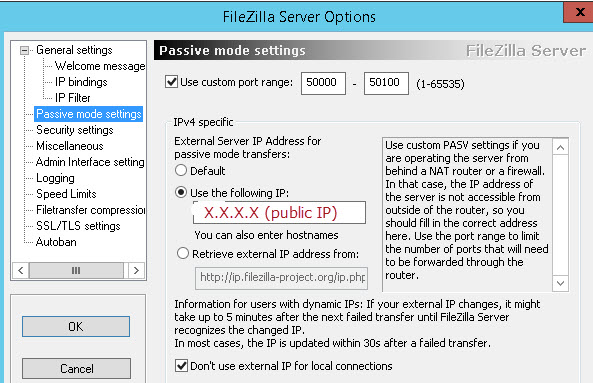
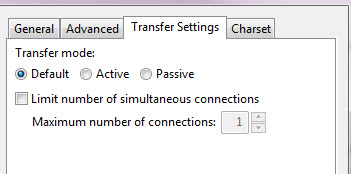
Since PASSIVE FTP seems to be a relative standard (that I experience), and since most clients don’t understand or want to use “ACTIVE” FTP, here is the easy way to configure your firewall and FTP software on an IIS machine to permit PASSIVE FTP. Firewall Setup You’ll need two rules and one “one to one”…
Throttling bandwidth on an IIS based site
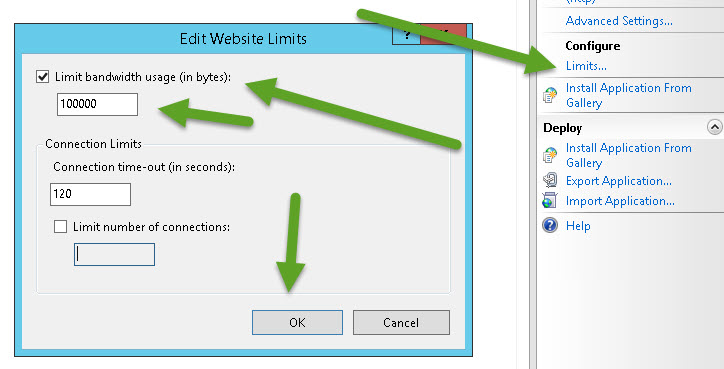
If you need to throttle (or limit) the amount of bandwidth a specific site on Microsoft Server — this is for you. This should work with any Microsoft Server OS from 2008 to present. Open IIS. Go to the specific site in question (in the tree to left expand and click on the specific site…
eXtplorer does not allow login under PHP 5.6 and IIS Windows Server
Have you deployed out eXtplorer and received this error: PHP Deprecated: Non-static method PEAR::isError() should not be called statically, assuming $this from incompatible context in X:\XXXXXX\WWW.AAAAA.com\www\libraries\JSON.php on line 828 it’s an easy fix. edit the file X:\XXXXXX\WWW.AAAAA.com\www\libraries\pear.php edit line 247 change this: function isError($data, $code = null) to this: static function isError($data, $code = null)
How to prep a Windows 2012 R2 Update 1 server for PHP / WordPress
1) Presuming you have already loaded the OS onto the machine (whether virtual or physical) 2) Join the machine to your business domain 3) windows updates 4) reboot 5) windows updates (again until no more updates) 6) configure role -> Web server and under Application Development, pick .NET Extensibility 3.5 7) once that is complete,…
ASPMAKER v11 Image Resizer not working under IIS
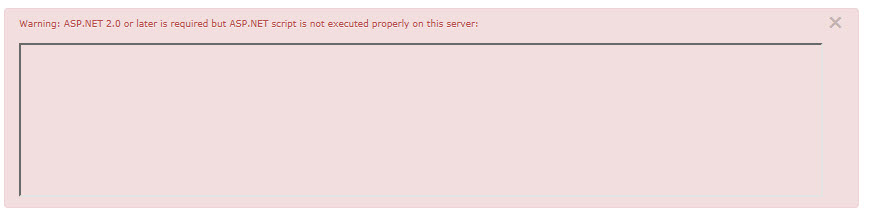
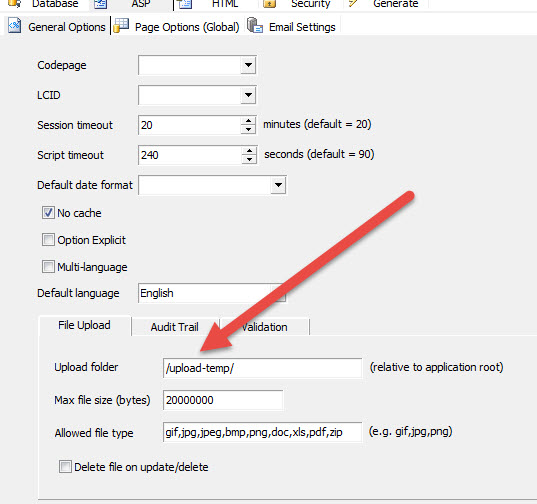
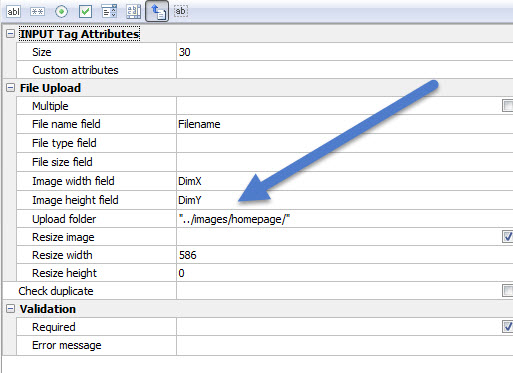
If you are using ASPMAKER by HKVSTORE to build web admin interfaces, and you’ve arrived at this page, it’s likely because the Image Resizer ASP.NET add-on is not working for you. Does this look familiar to you? Warning: ASP.NET 2.0 or later is required but ASP.NET script is not executed properly on this server: see…